
Local SEO tools shape how businesses appear in search results, especially for “near me” queries. Two popular options lead this space today: Bright Local or Moz. Both help manage listings, track rankings, and fix visibility issues. Many business owners feel confused when they compare features, pricing, and ease of use.
So which one fits better, BrightLocal or Moz Local? The answer depends on your setup. Agencies and multi-location brands often benefit from BrightLocal’s control and tracking depth. Single-location businesses usually prefer Moz Local for its simple setup and lower cost.
This guide will explain pricing, features, and real differences so you can choose the right tool.
BrightLocal or Moz Local: Which Should You Pick?
Choose BrightLocal if:
You manage multiple locations or client accounts and need full control over listings, rankings, and reports. This option suits agencies and SEO professionals who require detailed insights and flexible workflows.
You want faster updates, deeper tracking, and better reporting without rising costs per location. Flat pricing helps scale easily, while manual control improves accuracy across directories and supports long-term local SEO performance.
Choose Moz Local if:
You run a single business and prefer a simple setup without technical work. This option suits owners who want listings handled automatically without spending time on dashboards or detailed SEO tasks.
You want lower starting costs and easy management with minimal effort. Automated systems keep listings updated, even though changes may take longer and offer less control over directory-level edits.
Feature Comparison Table at a Glance:
| Feature | BrightLocal | Moz Local |
|---|---|---|
| Best For | Agencies, multi-location businesses, and SEO professionals | Small businesses, single-location owners |
| Pricing Model | Flat monthly pricing | Per-location pricing |
| Listing Management | Manual control with direct submissions | Automated via aggregators |
| Update Speed | Faster updates | Slower due to aggregator delays |
| Rank Tracking | Keyword-level, zip code-level, multi-engine | Map-based visibility only |
| Review Management | Monitoring, generation, sentiment analysis | Alerts and basic response tools |
| GBP Optimization | Full audit and recommendations | Basic sync and updates |
| SEO Audit | Available | Not available |
| Reporting | White-label on all plans | Limited to higher plans |
| Ease of Use | Advanced, needs learning | Simple, beginner-friendly |
What Is BrightLocal and Moz, Local?
Both tools help businesses improve local search visibility by managing listings, tracking rankings, and fixing errors. This section explains how BrightLocal or Moz works, their core ideas, features, and pricing.
BrightLocal
BrightLocal focuses on control and detailed insights for local SEO work. Users can manage listings, track rankings across locations, and review performance clearly without relying on automation systems.
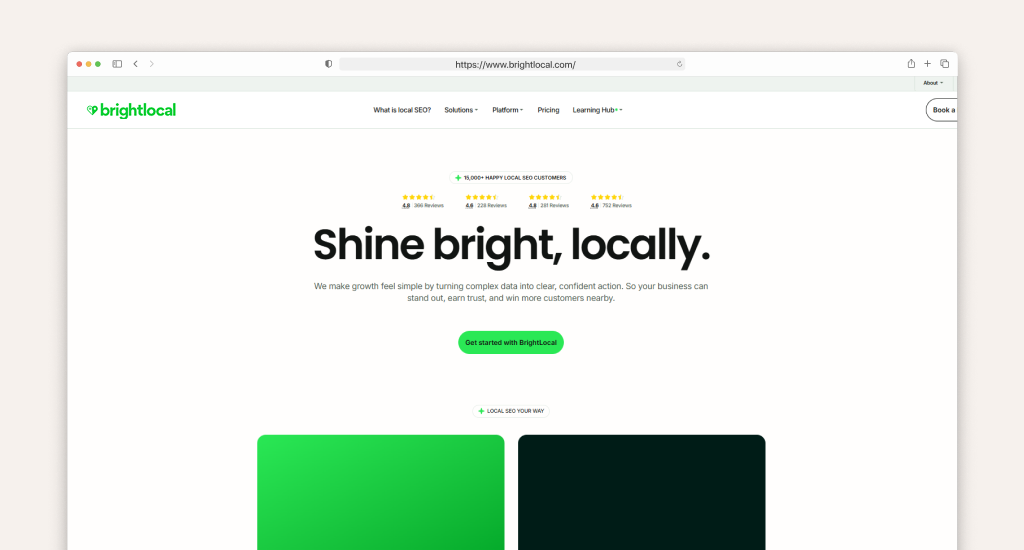
It works best for agencies, SEO professionals, and multi-location businesses. These users often need deeper control, accurate reports, and flexible tools to manage campaigns across different areas and clients.
The platform includes tracking, audits, and citation tools that support manual optimization. Each feature lets users take action directly instead of waiting for automated systems to complete updates.
BrightLocal Key Features Overview:
- Local Rank Tracker: Tracks keyword rankings across cities, zip codes, and locations
- Citation Builder: Manual citation submission with full control and pay-per-site pricing
- Citation Tracker: Monitors citation accuracy and identifies missing or incorrect listings
- Reputation Manager: Collects reviews, tracks ratings, and sends feedback alerts
- GBP Audit: Checks profile completeness and highlights optimization opportunities clearly
- Local SEO Audit Tool: Scans website and local signals for performance issues
- White-Label Reporting: Creates branded reports for clients with custom data views
- Lead Generation Tool: Captures potential clients through embedded audit widgets
BrightLocal Pricing Plans (2026)
BrightLocal uses flat monthly pricing, which helps control costs as businesses grow. Plans start at $29 and go up to $44 per month, with optional citation building at $2 per site.
BrightLocal Free Trial Details:
- Free trial available with access to core tools
- No long setup required before testing features
- Useful for checking reports, audits, and tracking accuracy
Moz Local
Moz Local focuses on automation and easy setup for local SEO tasks. It distributes business data across directories and maintains listings without requiring manual updates from the user.
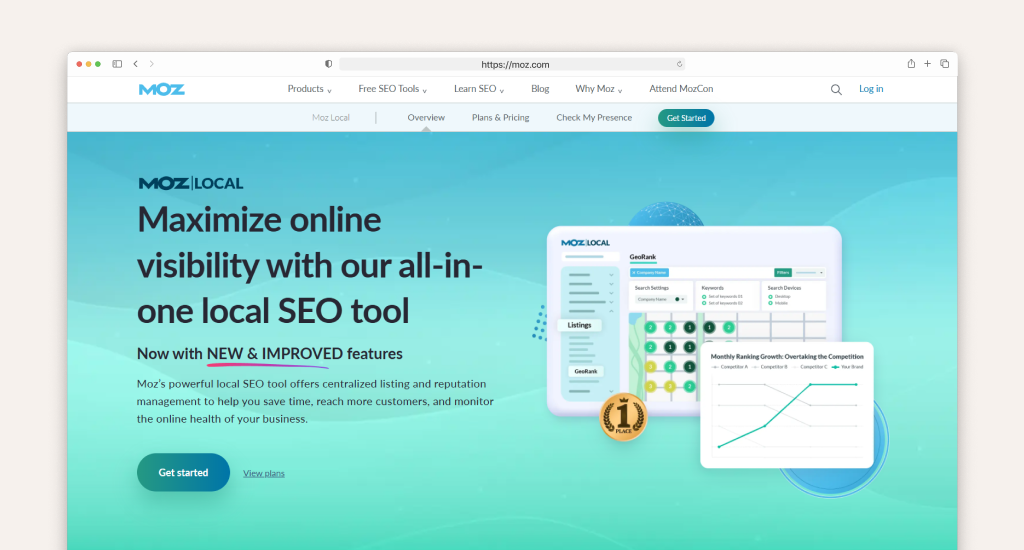
This tool suits small businesses, freelancers, and single-location owners. These users prefer simple systems that keep listings accurate without spending time on complex dashboards or detailed SEO workflows.
The platform handles listing distribution, duplicate cleanup, and review tracking. Most actions run in the background, which saves time but limits direct control over how listings are managed.
Moz Local Key Features Overview:
- Automated Listing Distribution: Sends business data to 90+ directories through aggregators
- GeoRank: Tracks map-pack rankings based on real local search visibility
- Duplicate Detection: Finds and suppresses duplicate listings across platforms
- Review Monitoring: Tracks reviews and sends alerts for new customer feedback
- GBP Integration: Syncs and manages Google Business Profile data automatically
- Social Posting: Publishes posts across Google, Facebook, Instagram, LinkedIn, and TikTok
- Local Insights: Shows performance data with simple reports and visibility trends
- AI Add-Ons: Uses Listings AI and Reviews AI for automation support
Moz Local Pricing Plans (2026)
Moz Local uses per-location pricing, which can increase costs as locations grow. Plans start at $16 per month and go up to $33, with optional AI add-ons for extra features.
BrightLocal vs Moz Local: Feature-by-Feature Comparison
Local SEO tools may look similar at first, but real differences appear during daily use. Let’s compare BrightLocal and Moz across key features, so you can clearly see control, speed, and long-term value.
1. Listing Management & Citation Building
Managing listings is handled very differently by BrightLocal and Moz Local, especially when it comes to control and automation. BrightLocal allows manual citation submission, while Moz Local relies heavily on automated distribution through data aggregators.
With BrightLocal, users can directly submit business information to directories and edit citations whenever needed. It gives strong control over NAP consistency, especially when businesses operate in multiple cities with different service areas.
Moz Local works through automated distribution networks like Foursquare and Uberall. Business data is pushed across directories automatically, but updates depend on aggregator cycles, which can slow down corrections.
- BrightLocal provides manual citation editing and direct control
- Moz Local uses automated aggregator-based listing distribution
- BrightLocal updates are faster due to direct submissions
- Moz Local updates can take longer due to system delays
For businesses that need accuracy and immediate control, BrightLocal performs better, while Moz Local focuses on automation and simplicity.
Winner: BrightLocal
2. Local Rank Tracking
Tracking local search rankings is one of the biggest differences between BrightLocal and Moz Local. BrightLocal offers detailed keyword-level tracking, while Moz Local focuses mainly on map visibility through GeoRank.
BrightLocal tracks keyword positions across Google Search, Google Maps, Bing, devices, and even specific zip codes. It can help users understand exactly how rankings change in different locations.
Moz Local uses GeoRank to show visibility across geographic areas, but it does not provide keyword-level ranking data. It can limit deeper SEO analysis for specific search terms.
- BrightLocal tracks exact keyword rankings across locations
- Moz Local shows general map-based visibility only
- BrightLocal supports multi-location keyword tracking
- Moz Local lacks detailed keyword-level insights
When comparing both tools for ranking analysis, BrightLocal provides significantly deeper and more actionable data. Also, they should focus on building local authority on Google Maps.
Winner: BrightLocal
3. Review Management & Reputation Monitoring
Managing online reviews is handled differently by BrightLocal and Moz Local, especially in terms of active review growth. BrightLocal includes review generation tools, while Moz Local mainly focuses on monitoring.
BrightLocal lets businesses track reviews, respond to feedback, and send automated review requests through email campaigns. It also includes sentiment analysis to understand customer feedback patterns.
Moz Local provides review alerts and monitoring across platforms like Google, Yelp, and Facebook. However, review generation features are more limited and depend on higher-tier plans.
- BrightLocal supports automated review request campaigns
- Moz Local focuses on review alerts and monitoring only
- BrightLocal includes sentiment analysis for feedback insights
- Moz Local has limited tools for review generation
Neither platform fully replaces dedicated review marketing tools, but BrightLocal offers more control over reputation growth.
Winner: BrightLocal
4. Google Business Profile (GBP) Management
Google Business Profile optimization is a main factor in local search rankings, and both BrightLocal and Moz Local handle it differently. BrightLocal focuses on optimization, while Moz Local focuses on syncing.
BrightLocal provides GBP audits, optimization suggestions, and post-scheduling. These features help improve profile quality and increase chances of appearing in local pack results.
Moz Local mainly synchronizes business data across Google Business Profile and other directories. It can ensure accuracy, but does not provide deep optimization recommendations.
- BrightLocal offers full GBP audits and optimization tools
- Moz Local focuses on automatic data syncing
- BrightLocal supports post scheduling for active engagement
- Moz Local lacks advanced optimization guidance
For improving local rankings, BrightLocal delivers stronger performance-focused tools.
Winner: BrightLocal
5. SEO Auditing
SEO auditing capabilities clearly separate BrightLocal from Moz Local. BrightLocal includes a dedicated Local SEO Audit tool, while Moz Local does not provide a full auditing system.
BrightLocal checks NAP consistency, website signals, and local SEO performance issues. These insights help users identify problems that directly affect visibility in search results.
Moz Local focuses only on listing accuracy and does not analyze website SEO or technical local ranking factors. It limits its usefulness for deeper SEO strategy work.
- BrightLocal provides full local SEO audit reports
- Moz Local does not include SEO auditing features
- BrightLocal identifies technical and citation issues
- Moz Local focuses only on listing accuracy
For technical SEO improvement, BrightLocal offers a clear advantage.
Winner: BrightLocal
6. White-Label Reporting
Reporting features are important for agencies managing multiple clients, and BrightLocal and Moz Local handle this very differently. BrightLocal includes white-label reporting in all plans, while Moz Local limits it to higher tiers.
BrightLocal lets agencies create branded reports that include rankings, citations, and review data. These reports can be fully customized for client presentation.
Moz Local only offers white-label reporting in Elite plans, which increases cost for agencies that need professional reporting features across multiple clients.
- BrightLocal includes white-label reporting on all plans
- Moz Local restricts white-label reports to premium tiers
- BrightLocal reports include rankings, reviews, and citations
- Moz Local reporting options are more limited
For agencies, BrightLocal provides better flexibility and cost efficiency.
Winner: BrightLocal
7. Social Media Posting
Social media management is available only in Moz Local, not BrightLocal. Moz Local lets users publish posts across Google, Facebook, Instagram, LinkedIn, and TikTok from one dashboard.
BrightLocal does not include social posting features, as it focuses entirely on local SEO tools like tracking, citations, and audits.
Moz Local’s social integration can really help small businesses maintain online activity without using separate tools for content posting.
- Moz Local supports multi-platform social posting
- BrightLocal does not offer social media features
- Moz Local helps manage content from a single dashboard
- BrightLocal focuses only on SEO functions
For social engagement needs, Moz Local offers extra value.
Winner: Moz Local
8. Duplicate Listing Detection
Duplicate listing control is handled differently by BrightLocal and Moz Local, although both aim to solve the same problem. BrightLocal provides visibility, while Moz Local focuses on automatic suppression to prevent common marketing mistakes related to SEO.
BrightLocal shows duplicate listings through its Citation Tracker, letting users identify and fix issues across directories manually.
Moz Local automatically suppresses duplicates using aggregator systems. It reduces manual work but provides less transparency into how duplicates are handled.
- BrightLocal shows full duplicate listing visibility
- Moz Local automatically suppresses duplicate entries
- BrightLocal offers manual correction of issues
- Moz Local reduces effort through automation
Both systems work effectively but use completely different approaches.
Winner: Tie (Both handle it differently)
9. Competitor Analysis
Competitor tracking is more detailed in BrightLocal compared to Moz Local. BrightLocal includes competitor analysis across all plans, while Moz Local limits access based on subscription level.
BrightLocal lets users compare keyword rankings, visibility, and performance against local competitors across different areas.
Moz Local offers limited competitor insights, mostly in higher-tier plans, which reduces accessibility for smaller businesses.
- BrightLocal provides competitor tracking in all plans
- Moz Local restricts competitor features to premium tiers
- BrightLocal shows keyword and ranking comparisons
- Moz Local offers limited competitive insights
For SEO strategy planning, BrightLocal provides stronger analysis tools.
Winner: BrightLocal
10. Ease of Use & Dashboard Experience
User experience differs significantly between BrightLocal and Moz Local. Moz Local is designed for simplicity, while BrightLocal focuses on advanced control and deeper features.
Moz Local has a clean, easy-to-understand interface, making it suitable for beginners with no SEO background. Setup is quick and requires minimal technical knowledge.
BrightLocal offers more advanced tools, which makes the dashboard more complex. It takes more time to learn, but it provides deeper control over SEO campaigns.
- Moz Local offers a simple and beginner-friendly interface
- BrightLocal provides advanced but complex dashboard tools
- Moz Local requires less setup and learning time
- BrightLocal offers deeper control for SEO professionals
Ease of use depends on the user experience level and business needs.
Winner: Moz Local (Beginners), BrightLocal (Advanced Users)
11. Customer Support
Support quality plays an important role in managing SEO tools effectively. BrightLocal and Moz Local both offer support, but response speed and depth vary.
BrightLocal provides live chat, email support, and dedicated account managers, which help users solve technical issues quickly.
Moz Local also offers chat and email support, but response times depend on the pricing plan, with better support available in higher tiers.
- BrightLocal offers faster and more detailed support
- Moz Local support varies by subscription level
- BrightLocal includes dedicated account managers
- Moz Local provides standard and premium support options
For agencies and active SEO users, faster support improves workflow efficiency and helps boost Local SEO CTR.
Winner: BrightLocal
BrightLocal vs Moz Local Pricing: Which Gives Better Value?
Pricing often decides which tool you choose, especially when budgets are tight. This section compares BrightLocal and Moz based on real costs, plan structure, and long-term value for single businesses and multi-location setups.
BrightLocal Pricing Breakdown (2026)
According to BrightLocal’s pricing model, they follow a flat monthly pricing model with three main plans: Track, Manage, and Grow. These plans start around $29 and go up to $44 per month based on features.
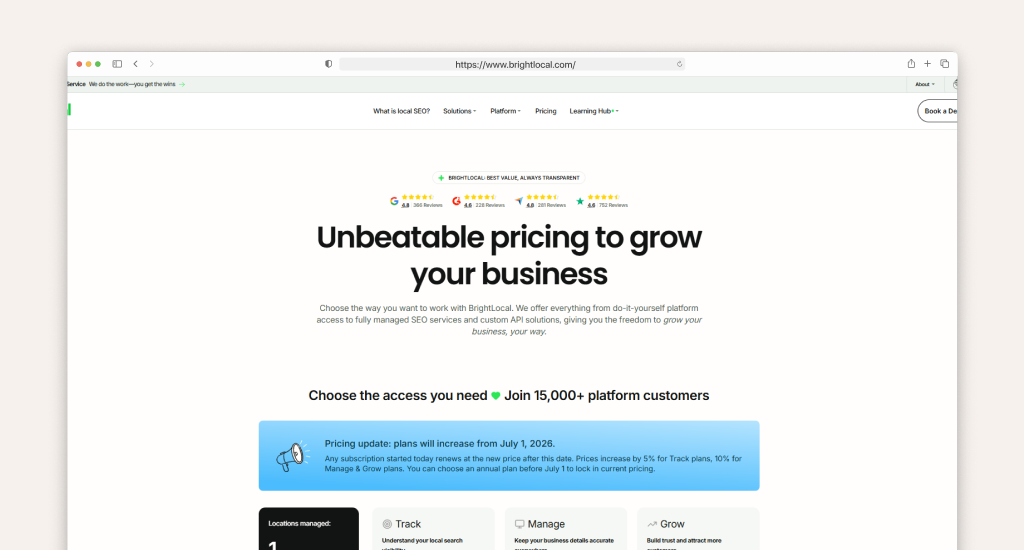
Each plan includes rank tracking, citation audits, and reporting tools. Higher tiers add review management, automation, and advanced reporting features. This variation in packages makes it flexible for both beginners and growing businesses.
Citation building uses a pay-as-you-go system. Each listing costs around $2, so you only pay when needed. A free trial is available, which allows testing tools before committing.
Moz Local Pricing Breakdown (2026)
According to G2’s information, Moz Local uses a per-location pricing model with three plans: Lite, Preferred, and Elite. Prices range from $16 to $33 per month for each location.
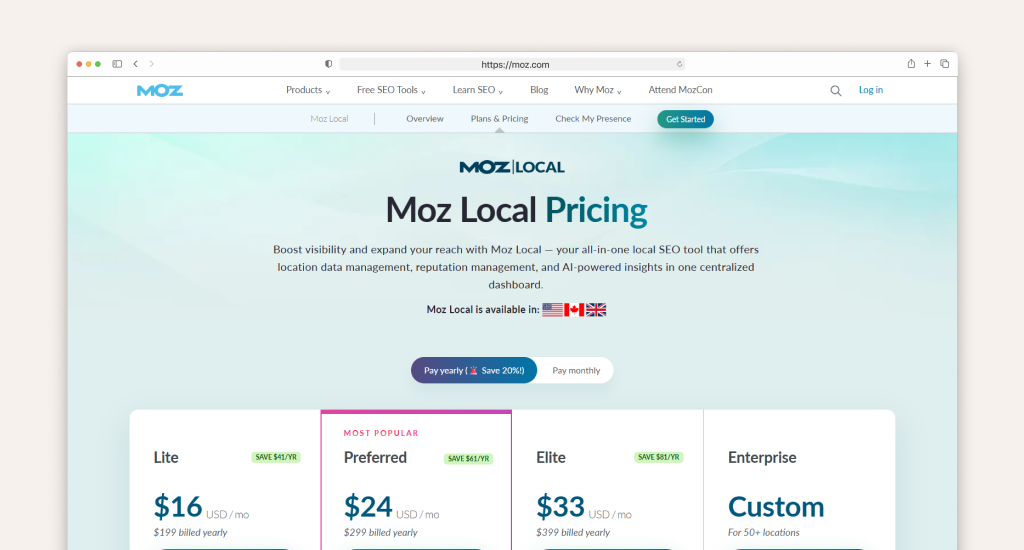
Each tier includes listing distribution, review monitoring, and basic reporting. Higher plans unlock features like review responses and deeper insights, which help improve local visibility over time.
Additional AI tools increase the cost further. Listings AI costs about $14 per month, and Reviews AI adds another $10 monthly. Enterprise plans support large businesses with 50 or more locations and offer discounts.
Pricing Comparison Table
| Feature | BrightLocal | Moz Local |
|---|---|---|
| Pricing Model | Flat monthly fee | Per-location pricing |
| Starting Price | $29/month | $16/month per location |
| Max Standard Plan | $44/month | $33/month per location |
| Extra Costs | $2 per citation | AI add-ons extra |
| Free Trial | Yes | Yes |
Which Tool Is Cheaper for Single Locations?
For a single business, Moz Local usually costs less at the start. A Lite or Preferred plan stays affordable and handles listings automatically without extra setup work.
Which Tool Is Cheaper for Agencies and Multi-Location Businesses?
Costs increase quickly with Moz Local because pricing is based on each location. Managing multiple businesses can become expensive as every new location adds a monthly fee.
BrightLocal keeps pricing stable with a flat model. For example, five locations on Moz Local Preferred cost about $120 per month, while BrightLocal Manage costs around $36 monthly.
Comparable Tools to BrightLocal and Moz Local
Many businesses look beyond core tools when features or pricing do not match their needs. This quick list of comparable tools to BrightLocal highlights strong alternatives with clear use cases, pricing styles, and key differences.
Whitespark: Best for Advanced Citation Building
- Strong manual citation services with high accuracy and control
- Pricing varies by service, often higher than DIY tools
- Better for citation depth, while BrightLocal offers broader SEO tools
Yext: Best for Enterprise Listing Management
- Real-time listing updates across a large publisher network
- Higher pricing, built for enterprise-level businesses
- Faster than aggregators, but less flexible than manual systems
Birdeye: Best for Reputation + Listings Combined
- Combines listing management with powerful review tools
- Higher cost due to bundled communication features
- Stronger for reviews, weaker for detailed SEO tracking
Synup: Best for Multi-Location Brands
- Handles listings, analytics, and reports at scale
- Pricing depends on the number of locations
- Balanced automation with decent reporting features
SE Ranking: Best All-in-One SEO + Local
- Includes local tools within a full SEO platform
- Covers rank tracking, audits, and keyword research
- Local features are useful but not deeply specialized
Local Dominator: Best for Agency Rank Tracking Speed
- Fast daily rank tracking across multiple locations
- Includes API-based citation tools
- Focused on speed, not full SEO workflows
Semrush Local: Best for Existing Semrush Users
- Built inside the Semrush ecosystem
- Covers listings, tracking, and audits
- Works best for existing users, not as a standalone tool
Search Atlas: Best AI-Powered Alternative
- Uses AI tools for SEO automation and optimization
- Includes citation and GBP support
- Still evolving compared to established tools
Comparison Table
| Tool | Best For | Strength | Limitation |
|---|---|---|---|
| BrightLocal | Agencies | Control and tracking | Learning curve |
| Moz Local | Small businesses | Simple automation | Limited control |
| Whitespark | Citations | Accuracy | Limited features |
| Yext | Enterprise | Speed | Expensive |
Final Thought
The final choice depends on how much control and scale your business needs. For agencies and multi-location brands, BrightLocal or Moz clearly favors BrightLocal because of deeper tracking, faster updates, and flexible pricing.
For single-location businesses, Moz Local remains a practical option with a simple setup and lower starting cost. However, limited control and slower updates make it less suitable for advanced local SEO growth.