
Yes, you can have two businesses at the same address. Each one needs its own legal setup (LLC, Corporation, or DBA), a separate EIN from the IRS, its own business license, a unique phone number, a different Google Business Profile category, and its own sign at the location. Local zoning rules and your lease must allow it too. Most rejections happen when these basics are missing.
In this guide, we cover Google’s rules for two profiles at one address, the legal basics to set up first, the step-by-step inside your Google Business Profile dashboard, what causes rejection, and how to appeal. Our team at Growth For Local has helped local businesses with their Google Business Profiles for 4+ years. By the end, you will know exactly what to do and what to avoid, so both your businesses get listed and stay listed.
Quick Answer:
Yes, you can add two businesses at the same address following these 6 rules:
- Each business has its own legal setup (LLC, Corp, or DBA).
- Each has its own EIN, bank account, and license.
- Each has its own name and phone number.
- Each fits a different Google Business Profile category.
- Each has its own sign at the location.
- Local zoning and your lease allow both.
Two Google Business Profiles at the Same Address
Yes, Google allows two businesses to be listed at the same address. But each one must look distinctly separate to Google. This matters because Google Business Profile signals account for about 32% of the local pack ranking weight (Whitespark Local Search Ranking Factors, 2026). Without an approved profile, your second business is invisible in local search.
We saw this firsthand with a physical therapy client running two locations. After we set up and optimized both profiles correctly, their Miami location’s GBP views rose 141%, direction requests increased 109%, and phone calls grew 66%. Their Deerfield Beach location gained 34% more views and 24% more direction requests, closing the visibility gap between the two locations.
Does Google Allow Two Business Profiles at One Address?
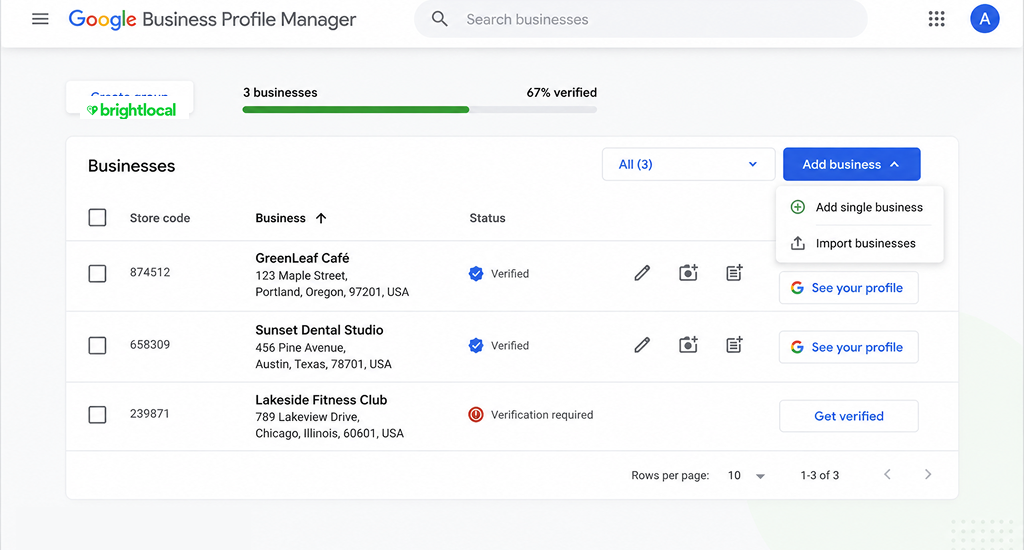
Yes, Google allows two Google Business Profiles for the same address when the businesses are truly separate. Each profile must follow 5 hard rules:
- Each business must have its own legal name.
- Each must have its own phone number.
- Each must fit a different Google category.
- Each must have its own staff during business hours.
- Each must have its own signage – outside and inside.
Cases Google allows:
- Legally separate businesses in different industries (a plumber and a house cleaner).
- Departments inside a bigger business (Walmart Vision Center, Sears Auto Center, MGH Department of Dermatology).
- Individual practitioners, such as doctors, lawyers, and real estate agents, can add two businesses even without a website within a shared office.
Cases Google does not allow:
- Virtual office or mail-only addresses.
- Businesses with no visible signs.
- The same service is split into two profiles.
- Fake or made-up suite numbers.
One more thing to know. Even when both profiles get approved, Google often shows only the stronger one on Google Maps. The weaker profile gets filtered out of local search results.
Before You Set Up Two GBP at the Same Address: The Legal Basics
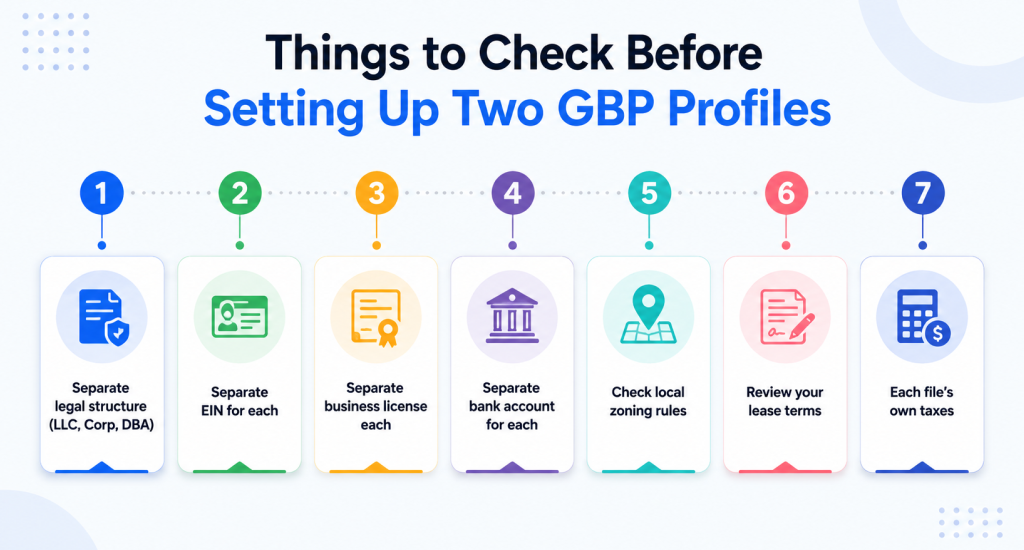
Before you add the second Google profile, set up the legal side first. Here are the 4 basics:
- Register each business as its own legal setup. Pick an LLC, Corporation, or DBA. File the Articles of Organization with your Secretary of State.
- Get a separate EIN from the IRS for each business. The form is SS-4 and takes minutes online. It is free.
- Get a separate business license for each one. The type depends on your state and industry.
- Open a separate bank account for each business. Mixing money cancels your LLC protection.
Check your local zoning rules, too. Some home zones do not allow two businesses at one address. Read your lease; some leases block running a business at all, let alone two.
The IRS does not care if two businesses share an address. It cares that each one has its own EIN and files its own tax return.
How to Add the Second Profile on GBP (Step-by-Step)?
Once your legal setup is done, you can add the second business inside your Google Business Profile dashboard. Follow these 7 steps:
- Sign in to your current Google Business Profile. Go to business.google.com. If you are starting fresh, sign in with the Google account you want to manage both businesses from.
- Click “Add another business” from the menu. You will find it in the business switcher at the top of your dashboard. Pick “Add a new business.”
- Enter the second business’s exact legal name. Use the name on your Articles of Organization. Do not add the city or service words to the name – that is the top reason Google flags new listings.
- Choose a different main category than the first business. Pick the real business activity, not a marketing term. A “plumber” works. A “fast plumbing expert” does not.
- Enter the same street address. Add a real suite or unit number only if one exists at the location. Do not make one up – fake suite numbers cause instant suspension.
- Add a different phone number. Use a unique line. The phone must be answered with this business’s name, not the first one.
- Save the listing. Google will then ask you to verify it. We cover what to expect in the next section.
How to Verify Your Second GBP Listing?
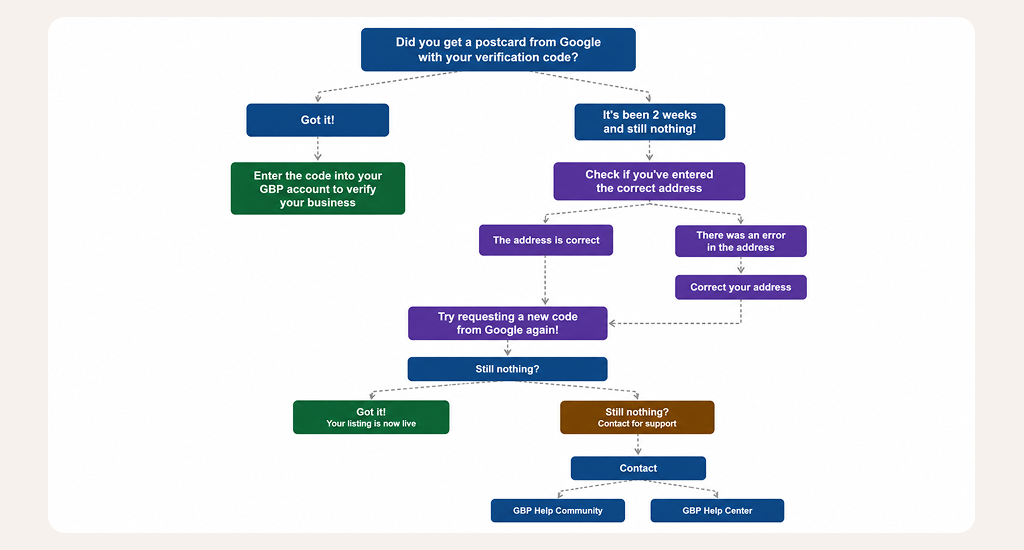
Most second listings at the same address need a video verification. You record a 30–60 second walk-through on your phone and send it to Google.
Your video must show:
- Your outside sign with the business name.
- Your inside sign or workspace.
- Proof of your business: your license on the wall or a labeled desk setup.
Once verified, upload 4–6 photos to the new profile. Include your outside sign, inside workspace, business license, and mail labels. These are the first photos Google checks if your listing gets flagged later.
What Causes Google to Reject or Suspend the Second Listing?
Google Business Profile suspension reports jumped over 80% globally between Q1 2023 and Q2 2024, and appeal times now run up to 5 weeks (BrightLocal; Search Engine Journal, 2025). Google suspends a second business when it looks like the same business twice. Here are the top triggers:
- Same or near-same names: “Joe’s Plumbing” and “Joe’s Plumbing LLC” look like one business to Google.
- Same phone number: A shared line says it is one business, not two.
- Same business category: Two cleaning companies at the same address appear as one company with two profiles.
- No visible sign: If neither business has a sign, neither one can keep a profile.
- Fake suite numbers: Adding “Suite A” when no Such Suite exists is a leading cause of instant suspension.
- Virtual office address: Mail-only addresses are never allowed for Google Business Profile.
- Same service area in the same industry: Two businesses in the same field covering the same zip codes are filtered.
There are two types of suspension. A soft suspension hides the listing but keeps your data and reviews. A hard suspension deletes the listing and every review on it. Hard suspensions are rare on a first warning. Google usually starts with a soft suspension and gives you a chance to fix the problem. Either way, the cost is real, as 61% of businesses with a suspended profile reported measurable drops in leads or calls during the suspension (Local Search Forum poll, 2024).
How to Appeal a Suspension (and What to Do If It Fails)?
Getting your second listing suspended is a frustrating experience. To appeal a suspension, fill out the Google Business Profile appeal form within 30 days. Here are the 5 steps:
- Read the suspension email first. It usually names the rule you broke. Knowing the exact reason makes your appeal much stronger.
- Fix the problem before you appeal. Add the missing sign. Change the phone number. Switch the category. Appeals filed before the fix almost always fail.
- Open the Google Business Profile appeal form. Pick the suspended listing from your dashboard. Use the same Google account that owns the profile.
- Attach your proof. Add your business license, a utility bill in the business name, sign photos (outside and inside), and your Articles of Organization.
- Submit one appeal per listing. Do not file the same appeal twice. Duplicates get auto-denied.
What to do if your appeal is not approved? File a second appeal only if you have new proof, more photos, a state filing date, or a new license. Do not delete the listing and start over. Starting over can cause your new listing to be suspended faster and make the situation worse. The old listing can sometimes still be saved by replying to the first ticket.
Tax & Mail: Quick Practical Notes
Each business files its own tax return. Split shared costs (rent, utilities, internet) in a fair, written way. Use square footage or a percentage of use. Mixing money between the two business accounts is called commingling. Commingling can cancel your LLC protection; your personal money is no longer safe from business lawsuits.
Label two mailboxes; one for each business name. Add real suite or unit numbers only if they exist. You cannot register an LLC with a PO Box. A registered agent address handles your legal mail and is separate from your public business address.
Final Thought
Two businesses can share one address. Google rewards real, separate operations and punishes shortcuts. The brands that get both listings approved are the ones that look like two real businesses, not one business wearing two hats.
Before you file the second profile, put up a sign and set up a unique phone line. Most rejections come down to those two things, and these are among the most common marketing mistakes most businesses make.
FAQs
Can I use the same phone number for two businesses at the same address?
What happens if a competitor is already listed at my address on Google Maps?
Can two service area businesses share the same home address?
Can I have two LLCs at the same address with the same registered agent?
Can you have two LLCs with the same EIN?
How do I tell Google two businesses are different?