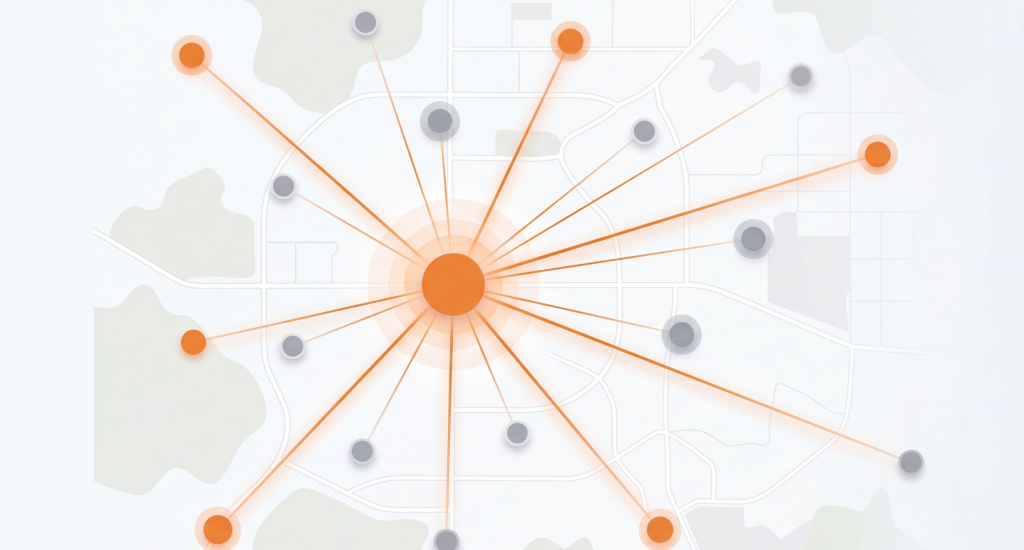
You can grow local SEO for multiple locations with clear location pages, strong local signals, and trusted links in each target city. These steps help your business appear in nearby cities.
A physical office in every place is not always needed. In reality, Google looks at local signals, website content, and business details.
This guide explains simple steps that work in 2026. You will learn about city pages, Google Business Profile setup, regional schema, and local authority signals. These step will help with local SEO geographic expansion and help your business appear in more nearby areas.
How to Overcome Google’s Proximity Bias in 2026
You can overcome Google’s proximity bias by building strong local relevance signals in each target city. Clear city pages, local citations, trusted reviews, and local mentions help Google see your business as active there.
Build Strong Local Relevance Signals
Google checks many local relevance signals before it shows results to users in a city. Good content about each service area, clear service descriptions, and location keywords help search engines connect your business with that specific place.
Strengthen Your Presence With Local Mentions
Local mentions on blogs, city directories, and community websites send trust signals to Google. These mentions show that people in that city know your business, which supports strong proximity bias solutions for wider visibility.
Use City-Focused Page Titles and Service Lines
Clear service titles help Google link your business with nearby cities. A simple example is “Austin Plumbing – Serving Round Rock.” This type of wording helps search engines connect services with nearby areas.
Build Reviews From Customers in Target Cities
Reviews from clients in nearby cities improve local trust signals. When reviewers mention city names inside their feedback, Google gains extra proof that your service operates in that area.
How to Optimize Google Business Profiles for Multiple Locations
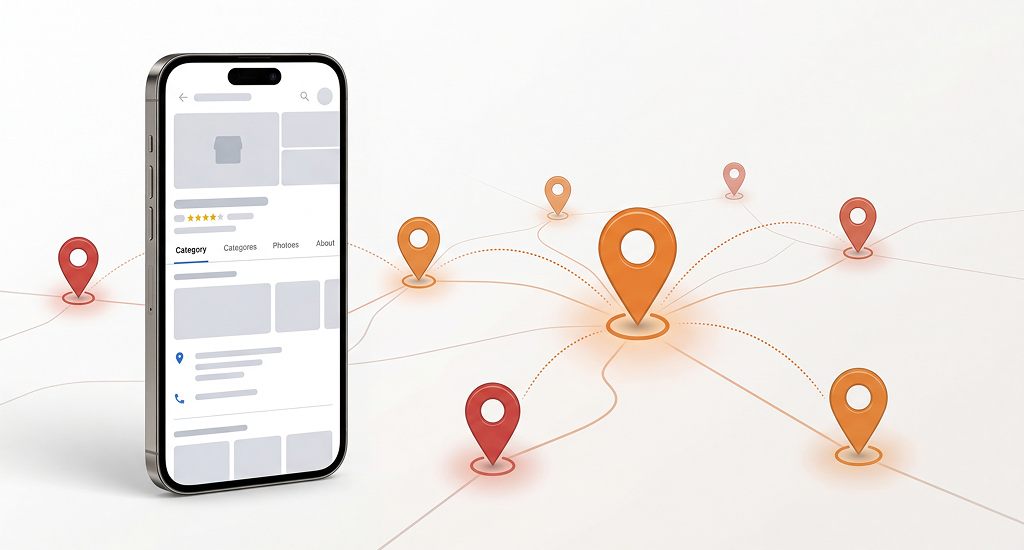
You should create a separate Google Business Profile for each real business location. Service companies without offices can use service area settings instead of addresses. This approach will support local SEO for service area businesses and keep your profile safe from rule violations.
Create One Profile for Each Real Location
Each office or store needs its own Google Business Profile page. Google uses location data to connect search results with nearby users. This setup forms the base of a strong multi-location SEO strategy for businesses that serve several cities.
Use Correct Categories and Service Areas
Categories explain what your business offers, while service areas show where your team works. Clear category selection can help Google match your services with local searches. Accurate service areas will also improve visibility in nearby regions.
Organize Profiles With GBP Groups
Businesses with many branches can organize profiles inside GBP groups. This dashboard can help staff manage listings, updates, and access permissions. Teams can control all profiles from one place, while each location can keep its own identity.
Publish Local Posts for Each Region
Local posts help show activity in a specific city or neighborhood. Each branch can share updates about offers, service news, or local events. These updates will help Google see fresh signals connected to that location.
Use Photos, Services, and Q&A to Strengthen Visibility
Photos, service lists, and question sections really build trust for local users. These details also give Google stronger location signals. You should add UTM tracking links to measure traffic and see which location profile brings visits.
What If You Don’t Have a Physical Address? (SAB Rules)
A business can still appear in search results without a public address. Google allows a hidden address for service businesses, then shows only the service areas. This setup supports building local SEO without a physical address.
So, you should expand the service area radius, publish city content, and place citations under the corporate headquarters address.
How to Build Local Authority in Cities You’re Not Located In?
You can build local authority in other cities with citations and backlinks from trusted local sources. These signals will help Google connect your brand with that area. This process can support local SEO outside core location and improve trust for regional search results.
Add Your Business to Regional Directories
Local directories act as strong citations for search engines. These listings include your business name, phone number, and website. Regional directories, local business listings, and the chamber of commerce website can send clear local trust signals.
Earn Backlinks From Local Websites
Backlinks from local blogs or news sites show that your business has value in that city. A guest article on a local blog or a mention in a community website can strengthen city-level authority.
Share City Press Releases
Local press releases also support city-focused SEO. A press article about your service launch in a nearby city will surely give Google clear location signals. These articles will also create backlinks from trusted regional media websites.
Support Local Events and Community Projects
Local sponsorships also build strong recognition signals. A small event sponsorship or community project mention can place your business name on city websites. These mentions really help search engines treat your brand as a real local entity in that region.
How to Create Localized Content That Signals Real Presence?
You can show a real presence in each city through helpful articles that mention local topics and places. This method helps you learn how to rank in cities you’re not located in because search engines read local entities and connect your business with that area.
Write Blog Posts Focused on Each City
You should create articles that talk about problems or services in one specific city. Clear examples include “Cost of HVAC Repair in Dallas” or “Best Neighborhoods for Plumbing Services in Miami.” This style supports strong local SEO for multiple locations.
Use Local Details Inside Your Content
City articles should mention real local details that people know. Add neighborhood names, well known landmarks, weather conditions, or local building rules. These details will help search engines recognize strong regional connections.
Publish Practical Guides for Local Residents
Guides built for city residents can improve trust and visibility. Examples include seasonal maintenance advice, service checklists, or city homeowner tips. These guides can also help search engines see your website as a useful regional hub.
How Reviews & Social Proof Strengthen Multi-Location SEO?
Reviews help Google measure trust and local relevance for each business location. Fresh feedback and clear location details often improve local visibility. This signal supports a strong Multi-location SEO strategy for companies that serve many cities.
Encourage Customers to Mention Their City
You can ask customers to mention their city or neighborhood inside the review text. This detail adds a clear local context for search engines. A review like “Great plumbing service in Round Rock” sends a stronger signal than a generic comment.
Manage Reviews for Each Location Separately
Each business location should collect and manage its own reviews. This method keeps feedback connected with the correct listing. It also supports strong local SEO geographic expansion because every location builds its own trust signals.
Use Review Snippets and Location Tags
You should review snippets on your website help search engines read customer feedback easily. Location tags inside reviews also strengthen geographic signals. These elements help Google connect customer experiences with the correct service area and location page.
Which Tools Help You Rank in Areas Outside Your Core Location?
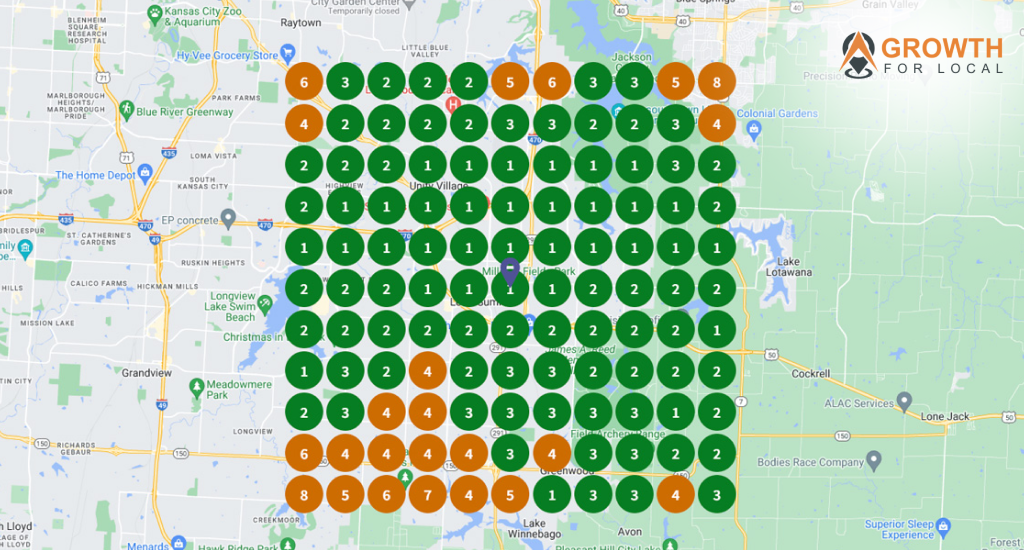
Local SEO tools show how your business appears across different areas of a city. GeoGrid tools scan many points on a map and display ranking positions clearly. This data supports how to rank in cities you’re not located in and guides smart local SEO geographic expansion decisions.
Local Falcon and BrightLocal for GeoGrid Tracking
Local Falcon and BrightLocal provide GeoGrid maps that reveal your visibility across many city locations. Each point on the grid shows the ranking position for that search spot. This view can help you understand where your presence is strong and where it needs improvement.
Google Search Console for Search Data
Google Search Console helps track keywords, clicks, and impressions from search results. Location-based queries often appear inside the performance report. These insights can help identify which cities already show visibility and which need stronger local signals.
Other Helpful Tools for Local SEO Work
Whitespark helps build citations across regional directories. PlePer Tools supports Google Business Profile research and audits. Google Business Profile Manager also helps manage posts, reviews, and updates for each location.
Why Radius Tracking Matters
GeoGrid rank tracking shows visibility across the full search radius around a city. A business might rank well near the office but disappear several miles away. These tools reveal those gaps and help improve regional reach with stronger local signals.
Final Thoughts
Success with local SEO for multiple locations comes from clear proof of relevance in every target city. You have to use location pages, trusted citations, optimized Google Business Profiles, and city content to build strong signals. These steps really help solve proximity limits through real local relevance.
Businesses that apply this approach build stronger visibility and steady regional reach. This path offers one of the most reliable methods for multi-city search growth in 2026.