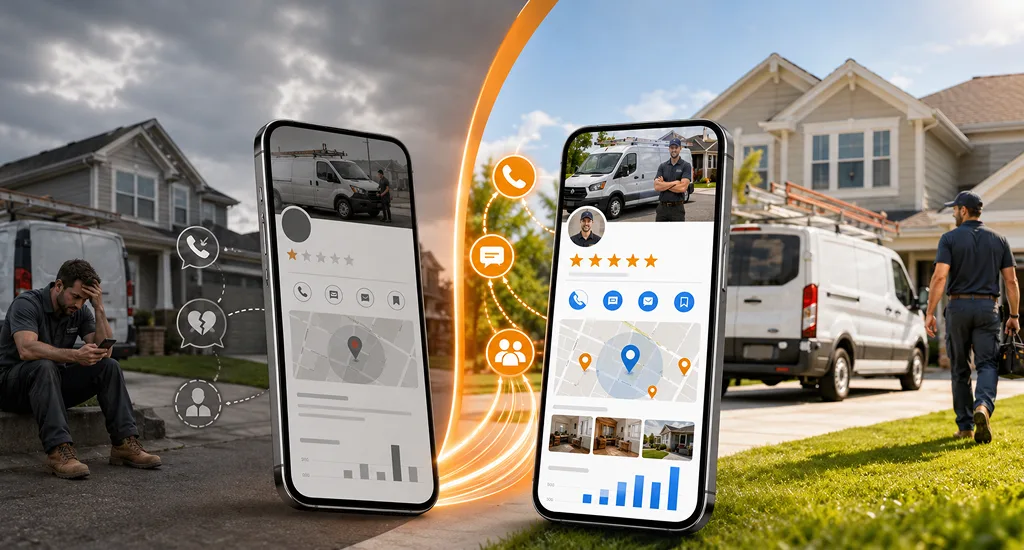
A smart home owner reaches for help the moment a device stops acting right, and Google Maps ranking for smart home Installers determines who they notice first. Clear details on your Google Maps seo for a smart home company listing guide people toward your service before they even think of other options.
Many homes trust the name that shows up with clean info, simple photos, and steady reviews. These small signs create comfort and push callers toward your number without any extra effort.
A strong map spot works like a steady source of local calls when you set it up with care. You should read this blog to learn how you can build that advantage with local presence on maps.
Why Google Maps Is the New Front Door for Smart Home Installers?
Most local smart home queries now open with a map view on the screen. People type simple terms like “smart home installer near me,” and Google shows nearby names before any website. It puts your map spot in front of real buyers at the very moment they want help.
Strong visibility in the Map Pack results in clear business gains. Calls rise, appointments grow, and more homes invite you for new installations. A good map spot works like a welcome sign that stays active all day.
The main obstacle comes from local rivals who polish their profiles more often. Another issue comes from weak NAP details that confuse Google and push your service down the list. But you don’t need to worry, strong Local SEO strategies can immediately fix this.
Key Reasons It Matters:
- More people notice your name during urgent smart home problems.
- Nearby homes feel confident because your details look real and helpful.
- Reviews act as local branding & social proof, guiding new callers toward your number.
- Correct info reduces doubt and keeps buyers from skipping your service.
- A strong map spot brings steady calls without extra advertising cost.
How Google Maps Ranks Smart Home Companies for More Local Calls?
Google Maps decides which businesses appear first when someone searches locally. For smart home installers, showing up in the right spot can result in more calls, appointments, and installations. Your map ranking depends on a few important signals that guide real customers straight to your business.
Local searches are highly specific. People type phrases like “smart home installation near me” or “home automation in [city].” Google uses these signals to decide which profiles match the search, how close they are, and how trusted they appear online. If you optimize for these signals, it can make a big difference in visibility.
- Relevance: Shows how well your listing matches what users search for. This includes keywords, service categories, and clear descriptions of what you offer.
- Distance: Google favors businesses that are closer to the searcher. Being nearby increases the chance that someone will call immediately.
- Prominence: Measures trust and popularity online. Good reviews, mentions on other websites, and local links make your business look reliable.
Google Map SEO – A Quick Audit Checklist
- GBP claimed & verified.
- Primary + secondary categories set to Smart Home Installation / Home Automation (with service subitems listed).
- Exact NAP on GBP, website footer, and top 10 major directories.
- Click-to-call phone in header, and phone number formatted with schema (tel:).
- Embedded Google Map on the contact page.
- At least 10 recent photos (before/after, team, van) – geo-tagged if possible.
- 10+ reviews with replies (or a plan to collect them).
- Google Posts used in the last 14 days.
- Location landing pages for each service area (technician bios, local testimonials, project examples).
How to do SEO for Google Maps Ranking of Smart Home Installers?
When a homeowner needs smart home help, they usually call the business that appears first. Google Maps Ranking for Smart Home Installers can put your service in front of local buyers exactly when they need it.
This guide walks you through every step to improve visibility, attract calls, and grow your local presence.
Step 1: Optimize Your Google Business Profile (GBP)
Your Google Business Profile is the first place customers see you. A strong and complete profile increases trust, improves your position in Maps, and makes people more likely to call.
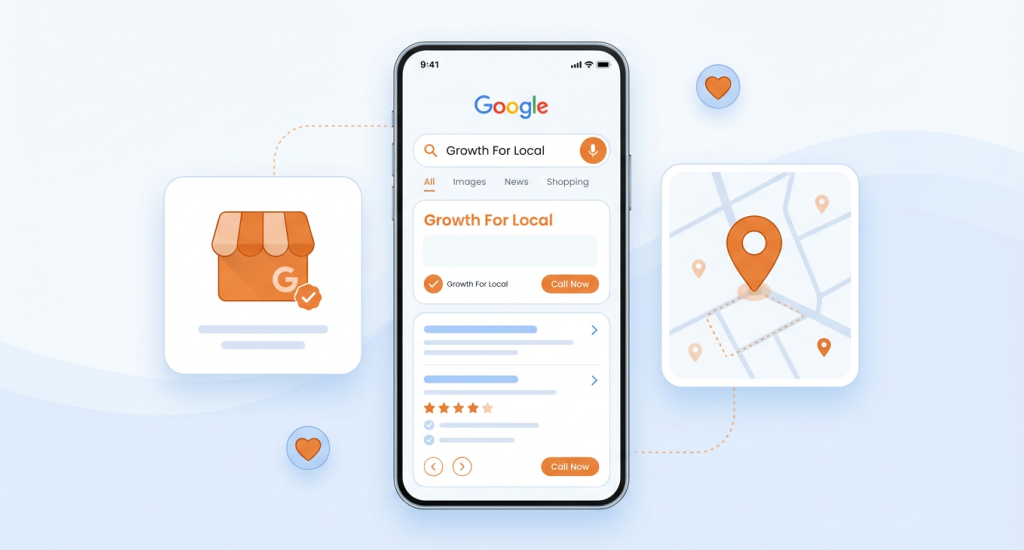
Claim and Verify Your Listing
Before anything else, you must own your profile. Verification proves your business is real and helps Google trust your listing. Multiple profiles confuse customers and Google, so focus on one accurate profile.
- Go to business.google.com/add and claim ownership.
- Avoid duplicates; one verified and complete profile is stronger than several incomplete ones.
Perfect Your Business Info
Customers look for clear and accurate information. If your Name, Address, or Phone number (NAP) is inconsistent online, people may call the wrong number or doubt your service. Consistency also improves your Maps ranking.
- Keep your NAP identical on your profile, website, and directories.
- Try to include full details: business hours, service areas, and website link.
- Define accurate categories to show your services clearly:
- Primary: Smart Home Installation Service
- Secondary: Home Automation Company, Security Systems Installer, or related services
Write a Conversion-Driven Description
A description tells potential customers what you do and why they should choose you. Including city-based keywords helps Google match your listing to local searches. You should frame the description around customer benefits to make it appealing.
- You should use phrases like “smart home installation in [City]” or “home automation systems setup.”
- Highlight outcomes like comfort, security, and energy efficiency.
Add High-Quality Visuals
Images and videos make your profile look professional and trustworthy. Customers often decide based on a website’s appeal & visuals before reading any text. Showing your team, projects, and equipment increases the overall confidence.
- You should post before-and-after photos of installations.
- Include team pictures and branded vehicles.
- Short videos demonstrating installation or smart device control can boost engagement.
Leverage GBP Features
Google provides extra tools to highlight your services. Using these features keeps your profile fresh, improves ranking, and engages potential customers directly.
- Google Posts: Try to share weekly updates, promotions, or case studies.
- Q&A Section: Preemptively answer common questions with keywords, e.g., “Do you install smart thermostats?”
- Services Tab: You should list each service clearly, like smart lighting, security systems, or voice assistants.
Step 2: Build Trust and Improve Local SEO Signals Beyond GBP
Your profile alone is not enough. Google also looks at other places on the web to confirm your business is real and trustworthy. These signals help you rank higher and attract more local calls.
NAP Consistency Across the Web
Keeping your business name, address, and phone number consistent everywhere signals reliability to Google. Any mismatch can lower your rank or confuse customers.
- You should use tools like BrightLocal or Whitespark to find incorrect listings.
- Ensure the same NAP appears on your website footer and all directory listings.
Build Local Citations
Local directories give Google and customers extra proof of your business. Citations from well-known sources improve trust and ranking.
You should list your business in top directories like Yelp, Apple Maps, Bing Places, Angi, Thumbtack, HomeAdvisor, and Chamber of Commerce, then complete each listing consistently so you can get found online more reliably.
You can join niche or industry-specific directories, like smart home associations or home automation networks.
Earn Local Backlinks
Backlinks are mentions of your business on other websites. Local backlinks signal to Google that your business is known and trusted in the area.
- You can sponsor local tech events or workshops to get mentions on blogs and news sites.
- Partner with electricians, builders, or HVAC companies for cross-links.
- You can publish local project stories, e.g., “Smart Lighting Upgrade in Downtown Dallas,” to earn natural backlinks.
Step 3: Optimize Your Website for Local Search
Your website and Maps profile work together. A well-optimized site confirms your local relevance and strengthens your ranking.
Local Keyword Optimization
Use city-based keywords in visible areas to help Google match your business to local searches. Schema markup makes it easier for search engines to understand your location and services.
- You can include “[City] smart home installer” in titles, headings, and meta descriptions.
- You should use schema markup for LocalBusiness and ServiceArea to highlight your location and offerings.
Create Local Landing Pages
Separate pages for each service area increase relevance to local searches. It also gives Google more context about your business coverage.
- Build pages like “Smart Home Installation in Austin” or “Home Automation in Dallas.”
- You should add local project photos, testimonials, and embedded Google Maps.
On-Page Optimization
Proper on-page signals reinforce your business location and services for both Google and users.
- Try to include location-based keywords in headings, titles, and meta descriptions.
- Link between local service pages and your Google Business Profile.
- You should use schema markup for LocalBusiness and Service entities to clarify services.
Embed a Google Map
Google Maps SEO is a powerful set of techniques to attract visitors to your GBP. Adding a Google Map to your site strengthens local signals. Customers can see your exact location, and Google confirms your service area. You should also embed your GBP location on the contact page or homepage.
Build Local Content
Content that focuses on neighborhoods or local trends improves relevance and attracts visitors.
Blog ideas:
- “Top 5 Smart Home Upgrades for [City] Homes”
- “How We Automated a [Neighborhood] House in One Day”
Step 4: Build Authority & Trust (Prominence Factors)
Google rewards businesses that look trustworthy and well-known locally. Authority signals make your profile stand out.
Earn Local Citations
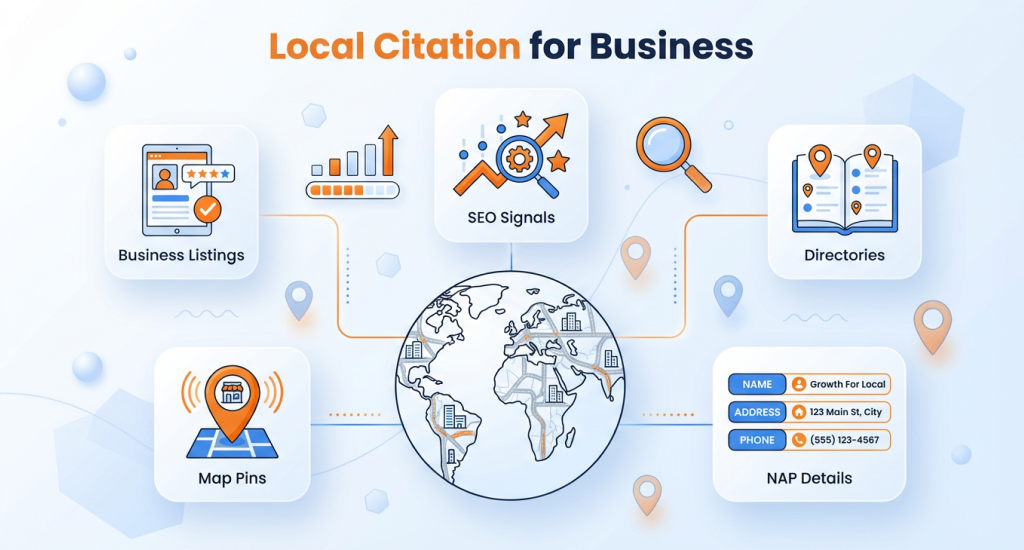
Local listings give Google proof that your business is trusted in the community. In this case, you should list on Yelp, BBB, Apple Maps, Angie’s List, Chamber of Commerce, and other directories. Also, ensure NAP is identical across all platforms.
Build Local Backlinks
Local backlinks increase trust and improve your profile ranking.
- You can partner with electricians, builders, or realtors for cross-linking.
- Sponsor events or create expert guides for local news outlets.
Review Management = Ranking Fuel
Reviews influence both Google and customers. More positive reviews increase trust and visibility.
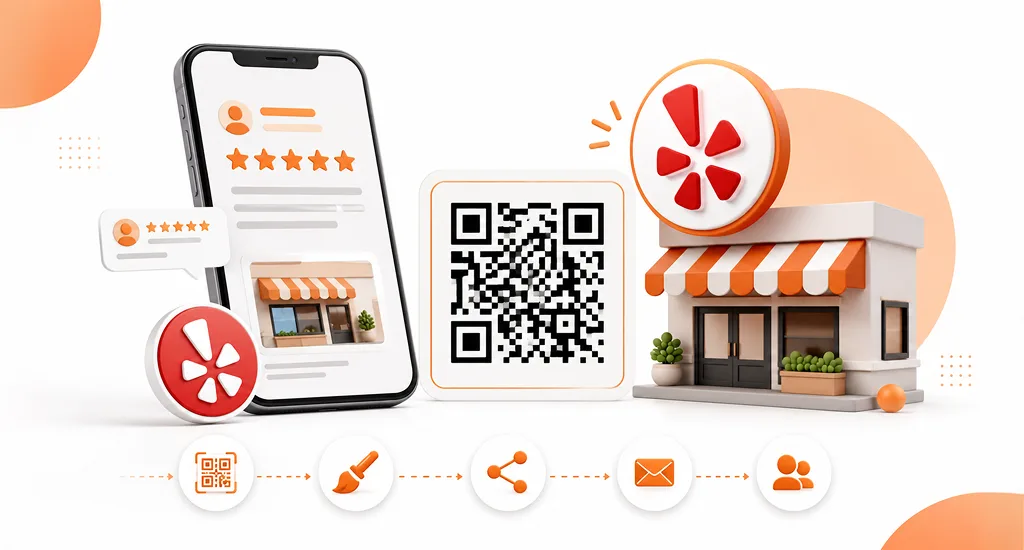
- Encourage satisfied clients to leave reviews via text or QR codes.
- You should respond to all reviews using service and location keywords naturally.
- Try to reply to the negative reviews with empathy.
- You should target 50+ keyword-rich reviews within six months.
Step 5: Maintain & Monitor Performance
Maps SEO is not one-time work. You should make sure your profile is complete, accurate, and regularly updated. Regular maintenance ensures long-term visibility and performance.
-
Post Regularly
You should keep your profile active to show Google and customers you are current. Try to add weekly Google Posts: showcase new installs, promotions, or tech news.
-
Monitor GBP Insights
Track important metrics to see what works and what needs improvement. Calls, direction requests, and discovery searches measure your visibility gains.
-
Keep Listings Fresh
You must update information regularly to maintain accuracy and relevance. In this case, you should update seasonal hours, new services, and fresh photos quarterly.
-
Combine Organic + Paid Local Reach
In competitive areas, paid ads complement Maps SEO and increase visibility. You can use Local Service Ads (LSA) or Google Ads with location extensions alongside your organic ranking.
Step 6: Advanced Local Growth Tactics
Advanced strategies can help expand reach, track conversions, and automate processes for steady growth.
- Run Local Service Ads or Google Ads with location extensions to increase exposure.
- Try to add UTM parameters to GBP links for tracking conversions in Google Analytics.
- You can use reputation management tools like Podium or NiceJob to automate review collection.
- Explore AI-assisted GBP updates (posts and photos) for consistent engagement.
The DOs and Don’ts for Google Map SEO that Affects Smart Home Installation Companies
Google Maps is a powerful tool for local businesses, but success depends on following best practices. If you know what to do and what to avoid, you can positively boost visibility, attract calls, and grow your reputation.
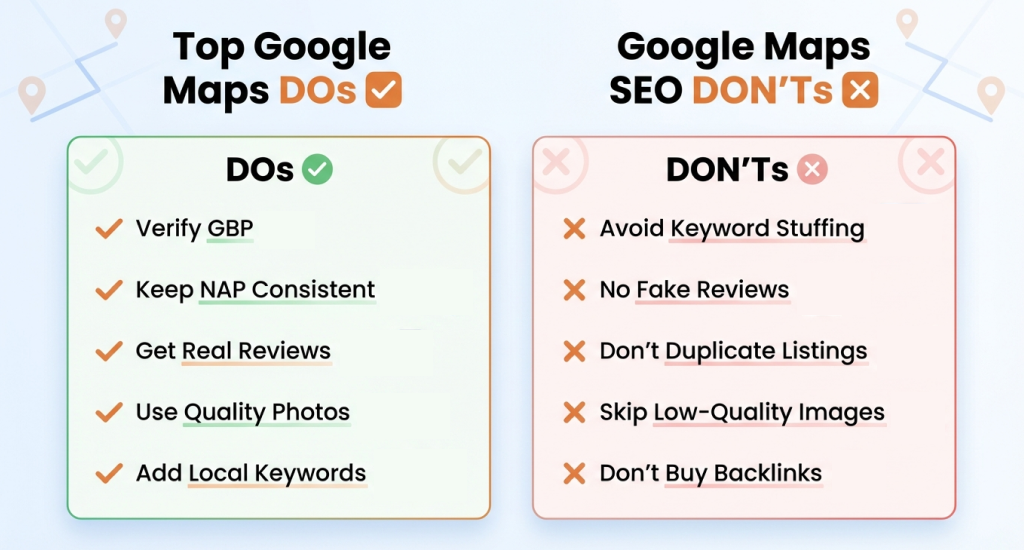
What You Must Do for Google Map SEO
- Claim & Verify Your Google Business Profile: Secure ownership of your listing through business.google.com to manage all information. Verification signals legitimacy to Google and ensures you control updates.
- Ensure NAP Consistency: Keep your Name, Address, and Phone number identical across all platforms. They should include your website, directories, and social media. Consistency builds trust and prevents confusion for both Google and customers.
- Encourage & Respond to Reviews: Ask satisfied customers to leave genuine reviews. You should respond to all feedback professionally, thanking them or addressing concerns. Active engagement improves trust and ranking.
- Use High-Quality Photos & Videos: Show your business through clear visuals, including team members, installations, and equipment. Visuals really attract clicks, help people understand services, and improve user experience.
- Incorporate Relevant Keywords: You should include location-based and service-specific keywords naturally in your description and posts. Keywords like “smart home installation in [City]” help Google connect your business to local searches.
- Utilize Google Posts: Share updates, offers, and news regularly. Posts keep your profile active, engage customers, and provide more content for Google to index.
- Select Accurate Categories: You should choose precise primary and secondary categories that match your services. Correct categories ensure your business appears in relevant searches.
- Build Local Backlinks: Get links from trustworthy local websites, blogs, or partnerships. Backlinks signal authority to Google and help your profile appear higher in local searches.
What You Need to Avoid for Google Map SEO
- Avoid Keyword Stuffing: Don’t overuse keywords in your business name or description. Excessive keywords appear spammy and can reduce trust and visibility.
- Don’t Use Fake or Spammy Reviews: Only collect authentic customer feedback. Fake reviews violate Google’s rules and can result in profile suspension.
- Avoid Inconsistent NAP Information: Wrong name, address, or phone details lower ranking and confuse customers, potentially costing calls.
- Don’t Create Duplicate Listings: Only one profile per location should exist. Duplicate listings dilute credibility and reduce ranking.
- Don’t Ignore Reviews or Messages: Respond to all customer feedback promptly. Ignoring reviews or messages hurts trust and can lower visibility.
- Avoid Generic or Low-Quality Images: Blurry or irrelevant visuals fail to engage customers. You should use clear, high-quality photos that display your services.
- Don’t Buy Backlinks: Paid or spammy links are risky. Google may penalize your profile, and low-quality backlinks do not improve local SEO.
- Don’t Impersonate Others: You should follow Google Maps guidelines strictly. Misrepresenting your business or copying competitors can result in suspension and reputational damage.
End Note
Dominating Google Maps seo for a smart home company isn’t just about visibility; it’s about capturing the first click from homeowners actively searching for smart home installers. When you appear in the top Google Maps results, you turn high-intent searches into real, consistent local calls.
You should treat Google Business Profile management as an ongoing marketing priority, not just a one-time setup.
Start today: audit your GBP, fix missing details or weak areas, and eliminate the gaps that may be costing you valuable local customers.