Stuck again after your first Google Business Profile reinstatement was denied? You’re not alone. Many Arizona owners are now asking how to submit a second appeal for suspension GBP after the 2025 policy updates changed the process.
Google has tightened review rules, so one small mistake can keep your business invisible on Maps. But the second appeal gives you another chance, if you handle it right.
This guide explains every new step for Arizona businesses in 2025. So, read this blog carefully before you try again.
Understand GBP Suspensions & Second Appeals
Before you send another request, it’s important to know why Google suspended your profile and what the second appeal really means. This part clears the basics in simple words.
What Is a GBP Suspension?
A Google Business Profile suspension means your business listing no longer appears on Search or Maps. There are two types. A soft suspension keeps your profile visible, but blocks edits inside the Business Profile Dashboard. A hard suspension removes your listing completely from public view.
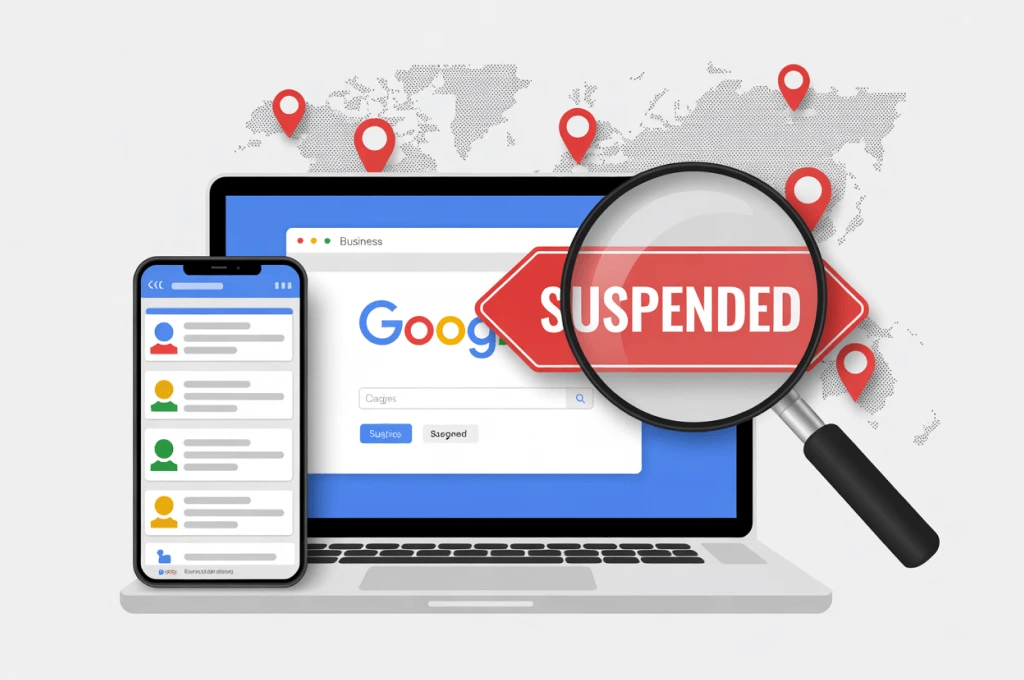
Common profile suspension reasons include policy violations, fake locations, or unclear business information. When Google shows “Profile suspended,” it’s serious. “Temporarily disabled” means you can still fix and appeal faster.
Why First Appeals Get Rejected
Many first appeals fail because the owner sends unclear or incomplete proof. Google rejects cases with a GBP guidelines violation, like a wrong category, missing storefront photos, or mismatched address details.
If your reinstatement request was denied, the cause might be weak documentation or stock images that don’t show a real business. Always make sure your name, address, and photos prove the location truly exists and follow Google’s rules.
When You’re Eligible for a Second Appeal
You can submit a second GBP appeal only after Google’s cooling period ends, usually a few weeks. You must correct every earlier issue before trying again. To qualify, your business needs stronger proof, like new photos, updated registration, or verified signage.
The second appeal should clearly show what has changed since the first one. Google Support checks for new evidence before re-reviewing your case.
Arizona-Specific Compliance Requirements
If your business operates in Arizona, Google may ask for extra documents. Register your business with the Arizona Corporation Commission, and ensure your Arizona business license or TPT certificate from the Arizona Department of Revenue is active.
Cities like Phoenix, Tucson, and Mesa often require additional local permits, especially for Service Area Businesses. Keep proof of service vehicles, invoices, or marked signage ready.
These business verification documents help confirm your real presence in Arizona and improve your appeal success chances.
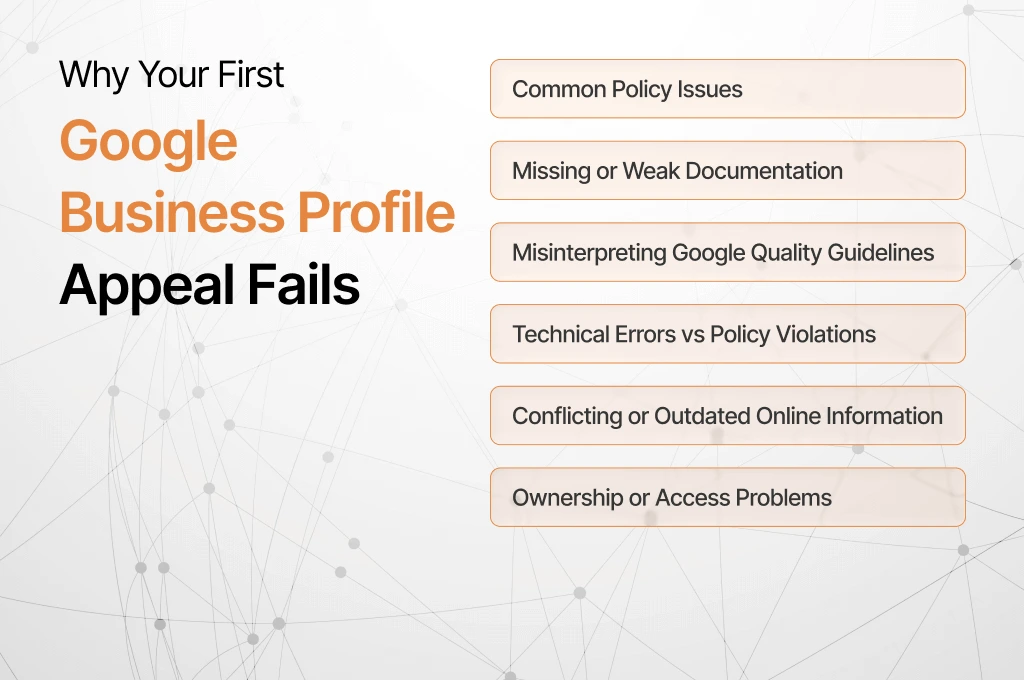
Why Your First Appeal for A Suspended GBP Can Be Denied?
Before sending a second appeal, you need to know what went wrong the first time. This section helps you spot the exact reason behind your GBP suspension and how to fix it.
Common Policy Violations
Google suspends many profiles due to clear policy violations. Virtual offices, fake addresses, or listings made for lead generation often trigger removal. Missing or unclear signage can also cause trouble, as Google wants proof that your business truly exists at the listed place.
Keyword-stuffed names and duplicate listings can harm your visibility in local search. Keep your business name simple and identical to your real-world branding.
Documentation Gaps
Many Arizona owners face GBP suspension reasons linked to weak evidence. Missing utility bills, expired licenses, or unclear photos often make Google doubt your business.
When you send Arizona business verification documents, always include clear pictures of both the interior and exterior. You should make sure signage and address numbers are visible. Try to avoid cropped or blurry photos that hide important details.
Misreading Google Quality Guidelines
Some businesses misread the Google guidelines and lose their appeal chance. Service Area Businesses (SABs) must show proof that they operate within a real service zone, even without a storefront.
Your profile must also show correct staffed hours, so Google knows real people are available during the listed times. Proof, like invoices or service maps, helps confirm your service area.
Technical Errors vs Policy Issues
Not every suspension happens because of policy. Sometimes, dashboard glitches or ownership conflicts inside the Business Profile Dashboard block your access.
If your business name or category shows errors you didn’t make, you should report it to Google Support. But when your details break actual rules, like wrong categories or fake addresses, it becomes a policy issue. You should learn to separate both before reapplying.
Outdated or Conflicting Online Info
If your business details differ across the web, Google may treat it as suspicious. Old addresses or mismatched phone numbers on directories confuse its system.
Before appealing, you should check listings on Yelp, Bing, and Facebook. Make sure your NAP (name, address, phone) matches exactly everywhere. Consistency builds trust in Google’s review process.
Overlooked Ownership or Access Problems
Sometimes, the wrong person manages the profile. If ownership wasn’t verified properly, or multiple users made edits at once, Google can flag it as a verification conflict.
Before sending another appeal, you should confirm that the right Google account holds full ownership. You should remove inactive managers and recheck access permissions. It’s a small step that often prevents another suspension.
Prepare for Your Second Appeal for A Suspended GBP
You can appeal a suspended profile again; you just need to do it right. Gather all proof, fix past mistakes, and follow a clear plan to show that your listing now meets Google’s rules.
AZ Documentation Checklist (Downloadable)
You should collect your key business verification documents. Include your registration from the Arizona Corporation Commission, your valid Arizona business license or TPT certificate, lease or deed, insurance papers, a recent utility bill, bank letter, photos of signage, vehicle wraps (for SAB), and a staff roster. It really helps build a strong case.
Proving Physical Location or SAB Legitimacy
Show your storefront or service-area business clearly. You can provide exterior and interior photos showing signage, suite numbers, and street view matching your address. If you’re a Service Area Business, include fleet or territory map images. These prove you are real.
Industry-Specific Proof (Healthcare, Legal, Home Services)
Depending on your field, you can include extra proof. If you’re in healthcare or legal services, you can add your professional licence. Home services should include permits or bonded/insured documentation. These are strong signals that you meet compliance.
Evidence Packaging Standards
Organise your files so they look professional. You should use clear filenames, show timestamps, submit full-uncropped images, bundle them into a PDF, and add a brief index listing each document. Solid packaging builds trust.
Explain Previous Fixes & Changes
In your appeal, you should list exactly what changes you made since the first denial. For example: “Address corrected”, “Removed virtual office”, “New signage installed”. Clarity here shows Google you’ve taken real action.
Wait Period & Submission Timing
Don’t rush your second appeal. It’s wise to wait a short period after making all corrections so the evidence is consistent. Studies show that appeal resolution times have grown from about 5 days to nearly 5 weeks.
Step-by-Step: Submit the Second Appeal for A Suspended GBP
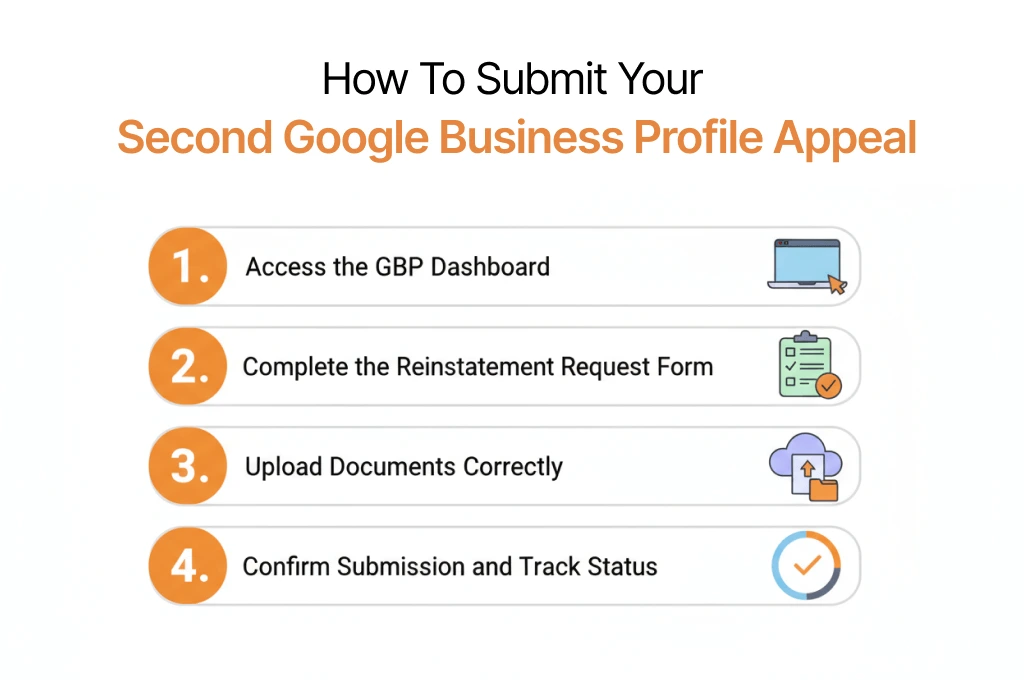
Once you’ve fixed all earlier issues and gathered proof, it’s time to send your second appeal. This part explains each step of how to submit a second appeal for suspension GBP clearly, so you don’t miss anything important.
Step 1: Navigate the GBP Dashboard
Open your Business Profile Dashboard and sign in with the account that owns the suspended listing. You should click Support or Contact Us at the bottom of the left panel. Then choose Business Information > Fix a suspended profile > Appeal.
You’ll see the reinstatement page where your earlier case may still appear. You should select the same business name and click Submit Appeal. Screenshots showing these steps help confirm you’re in the right place.
Step 2: Reinstatement Request Form: Field-by-Field Explainer
The Reinstatement Request form asks for your business name, address, website, and reason for appeal. Keep your answers short and factual. Try to avoid long stories.
You should attach only real Google Support evidence, like a license, signage photos, or proof of location. Don’t upload screenshots from social media or marketing flyers. The biggest mistake is mismatched details. You should make sure everything matches what’s live on your profile.
Step 3: Uploading Documents (Formats, Limits, Naming)
Google accepts PDFs and image files, but PDFs work better because they group your evidence neatly. Keep files under 20 MB and name them clearly, like “AZ-License.pdf” or “Storefront-Photo.jpg.”
If you have many files, you should make one folder, zip it, and upload it as a single file. Keep the order logical: registration first, location proof next, and photos last. It helps reviewers move faster through your documentation upload.
Step 4: Submission Confirmation & Tracking
After you submit, you’ll see a success screen with a Case ID. Save it. Google also emails you a copy. Filter your inbox by “Google Business Profile” so updates don’t get lost.
To follow appeal status monitoring, always try to reply within the same email thread. Avoid sending new forms or duplicate messages; it resets your place in the review queue. Review times may vary, but Google Support usually replies within a few weeks.
Google Business Profile Appeal Letter Template
A clear and honest letter can change the result of your second appeal. This section explains what Google expects and how to respond to their reasons. Also, it gives you ready-to-use Google Business Profile appeal letter templates for Arizona businesses.
What Google Looks For?
When Google reviews your appeal, they check if you follow the guidelines and if your profile looks genuine. Your letter should admit or clarify past mistakes, quote the exact rule you fixed, and include proof of real operations.
You should keep it short and focused; around 200 words is ideal. Add clear verification materials like licenses, storefront photos, or service maps. Direct and truthful answers show credibility.
Addressing the First Rejection Head-On
Begin your letter by restating Google’s rejection reason. If they said “location unverifiable,” reply by showing new signage or updated address proof. If it was a policy violation, you should explain what you corrected.
Try to avoid defensive language. Instead, you should describe what’s changed since your last request. Clear before-and-after evidence helps reviewers see your progress and approve faster.
Tone & Format (Professional, Evidence-Led)
Write in a calm and polite tone. Keep your appeal letter between 150 and 250 words. You should use short paragraphs or bullet points to list updates or attached proof.
At the end, try to include a short index: “Exhibit A – Arizona license,” “Exhibit B – Storefront photo,” etc. An organised presentation helps Google verify your claim quickly.
Copy-Ready Template (Retail, SAB, Professional Services)
Retail Example
Subject: Second Appeal – Verified Storefront, Arizona
Dear Google Support,
My business, [Name], was suspended for “unclear location.” I’ve added exterior photos with visible signage and my active Arizona business license (Exhibit A). The store operates daily during posted hours. Please review the updated details on the dashboard.
Thank you,
[Your Name]
Service Area Business (SAB)
Subject: Second Appeal – Verified Service Area Business, Arizona
Hello Google Team,
My SAB, [Name], was denied earlier due to missing field proof. I’ve attached new vehicle signage photos, a territory map, and business verification documents (Exhibit A-C). These confirm my real service operations across [City/Area].
Regards,
[Your Name]
Professional Services (Legal/Medical/Consulting)
Subject: Second Appeal – Licensed Professional Office, Arizona
Dear Reviewer,
My earlier request was denied for “missing compliance proof.” I’ve attached my state professional license, office signage, and lease (Exhibit A-C). These confirm a staffed, licensed operation following all Google guidelines.
Sincerely,
[Your Name]
Stay Active and Visible While Waiting for Google’s Response
Even after submitting your second appeal, your business can remain visible. This section explains what to do while Google reviews your case and how to manage expectations during the wait.
2025 Response Times & What Delays Mean
Google’s response usually takes 2-5 weeks, but holidays or high volumes can stretch it longer. Delays don’t mean denial; they often reflect a backlog in Google Support.
You should check updates every few days and note the last reply. Avoid sending multiple requests too soon; patience keeps your appeal on track.
Temporary Local SEO Plan During Suspension
Keep your local search visibility active by listing your business on Bing Places, Apple Business Connect, Yelp, Nextdoor, and other citation sites. You should update your website’s local schema and encourage reviews on third-party platforms.
These actions help customers find you even while your GBP is suspended. They also strengthen credibility when Google reviews your appeal.
Monitor Case & Keep Communications Threaded
Always try to respond inside the original email or case thread. Don’t create new tickets for the same issue, as duplicates can confuse Google Support.
If you have new evidence, attach it once in the same thread. Clear and threaded communication ensures your appeal stays organised and reduces the chance of misplacement.
Next Steps if Google Rejects Your Second Appeal
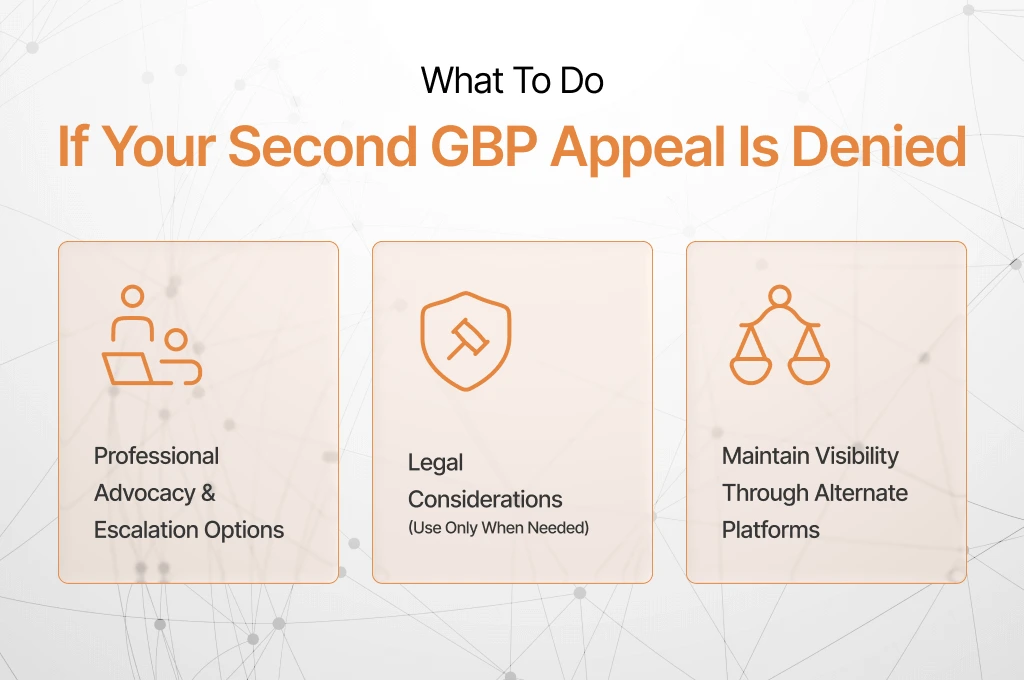
Even after a second denial, your business isn’t invisible forever. This section explains escalation options, legal considerations, and ways to maintain visibility while planning your next move.
Professional Advocacy & Escalation Paths
You can contact GBP product experts through Google’s official channels or post in the verified community forum for escalations. Support callbacks are sometimes available for complex cases.
Third-party advocates may offer guidance, but always verify credentials. These paths can help ensure your case gets proper attention from Google Support.
Legal Considerations (Use Sparingly)
Consulting an attorney is rarely needed, but it may help if your business faces ongoing disputes or wrongful suspension. You should keep a full paper trail of documents and communications.
Legal action can be costly, and the odds of success vary. In Arizona, you should ensure compliance with state rules before pursuing this route.
Alternate Visibility Stack
While your GBP is offline, you should use alternative platforms to stay visible. Expand directory listings, run paid local campaigns, update your website, use email, social media, and direct-response channels to reach more customers.
You should track traffic and leads to measure performance. This strategy keeps your business discoverable and helps maintain credibility until Google restores your profile.
How to Avoid Future Google Business Profile Suspensions
Keeping your profile safe requires ongoing attention. This section explains regular audits, license management, and staying updated on Google Guidelines so your business remains compliant and visible.
Ongoing Compliance Checklist (Monthly/Quarterly)
Regularly review your profile for the correct business name, clear signage photos, accurate hours, correct categories, and recent posts. You should ensure images are current and all reviews follow Google’s policy.
Perform these checks monthly or quarterly. Regular audits catch small mistakes before they become compliance problems that could trigger another suspension.
AZ Licensing & Registration Maintenance
You should keep your Arizona business documents up to date. Renew your Arizona Corporation Commission registration and Department of Revenue TPT certificate on time.
You should ensure your DBA, signage, and NAP (Name, Address, Phone) remain aligned with official records. Consistency prevents verification conflicts and future suspensions.
Track Google Guideline Changes (2025+)
Google updates its rules frequently. Make a habit of reviewing the official Google Guidelines changelog and subscribing to updates to catch any new requirements.
It ensures your listing always follows the latest policies. Being proactive reduces the risk of suspension. Also, it helps your business stay visible in local search.